
The After Later Audio Mixing Ecosystem
I purchased an After Later Audio (ALA) Bartender Eurorack mixer in late 2024. I loved the features, build quality and tonal character of the module. I got in touch with Lenny at ALA to offer some feedback and he asked me if I would be interested trying out version two of the Bartender along with a few other products he had up his sleeve. Predictably, I said yes.
NOTE: This blog article is now live, but a few details including power requirements for some modules need to be added in later.
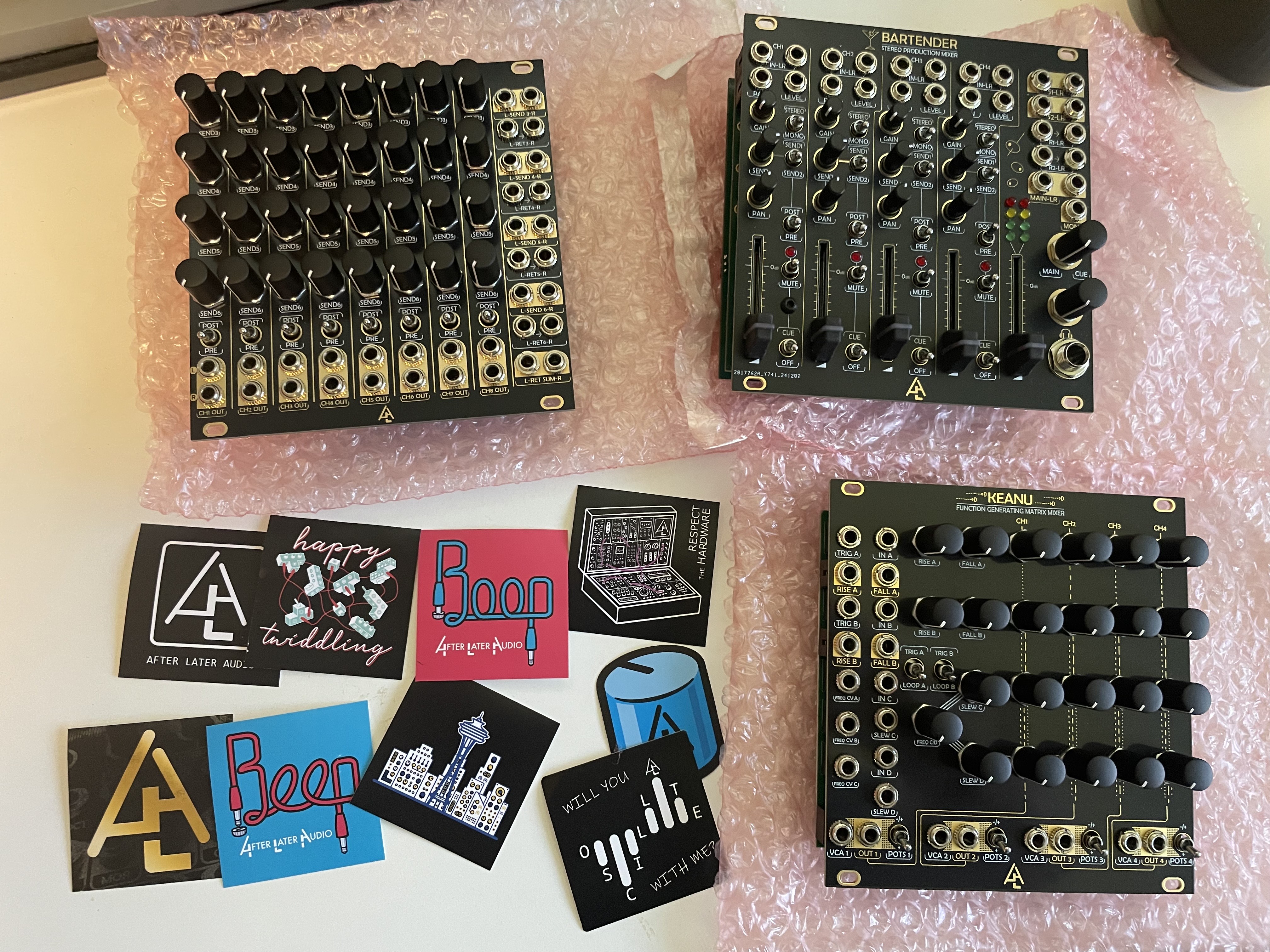
Some time passed and I guessed correctly that Lenny was working on something big. When the ALA parcel arrived on my doorstep it contained eight modules that make up the After Later Audio Eurorack mixing ecosystem. To say I was thrilled with the opportunity to try these products out is an understatement - thanks Lenny!
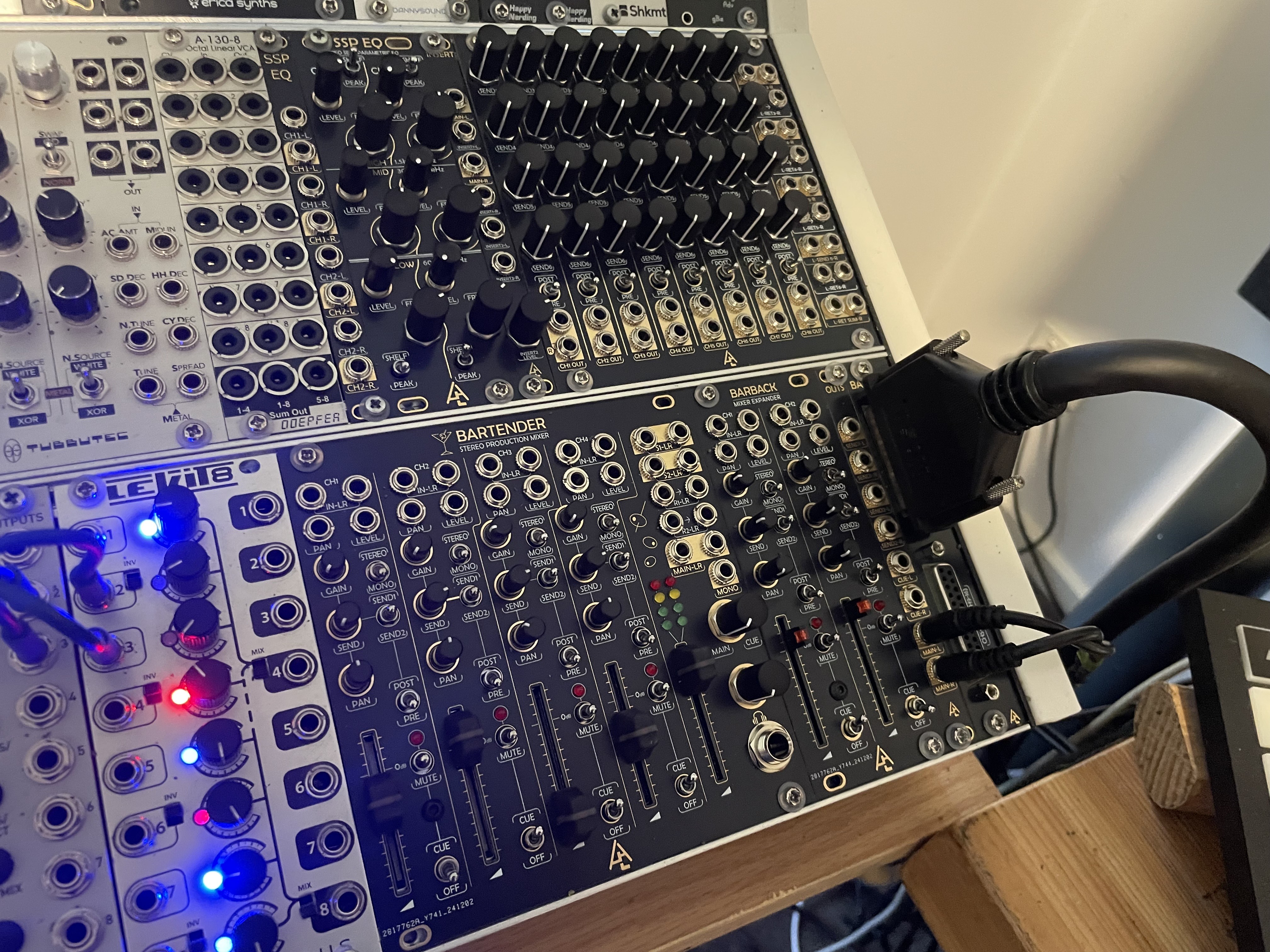
So what was in the box?
- Bartender - Stereo Production Mixer (version 2)
- Barback - Mixer Expander
- OUTS (4x bus outs, or 8 individual outs)
- BAL OUTS - dual DSUB25 balanced outputs (8 or 16 channels)
- SENDS - quad stereo audio effects mixer with 4x send and return pairs (simultaneous)
- INSERT - main bus effects insert for Bartender
- SSP EQ - Stereo Semi Parametric EQ
- SSP EQ Expander - dual stereo input and output for SSP EQ
- Power ribbon and expansion connection cables for all modules
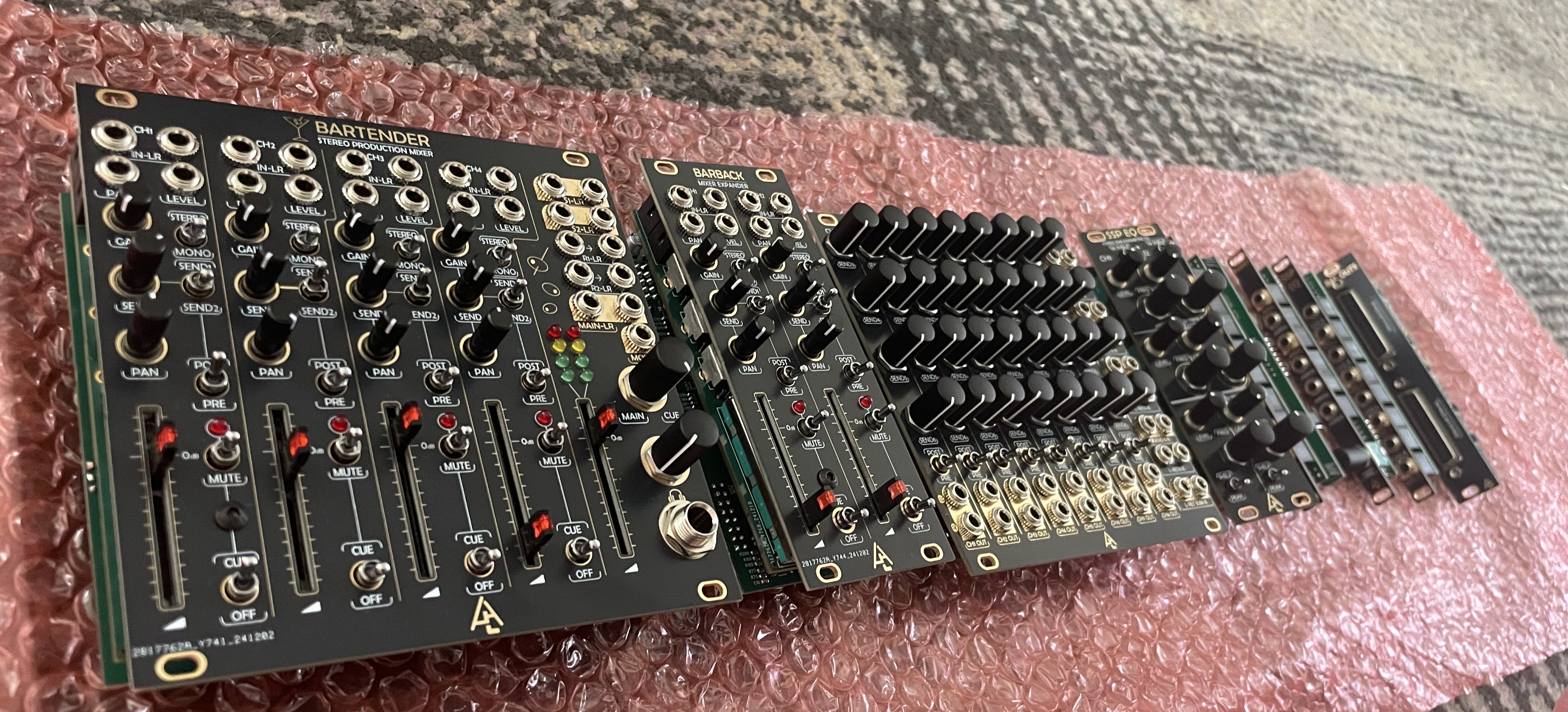
Eight modules in the ALA audio mixing ecosystem
This is going to be a long form blog post that I will work through as I document my experience with the entire ecosystem. The great thing about the ALA mixing ecosystem is that you only need one module to get started, being the Bartender.
Why ALA for mixing?
A key part of the ALA audio mixing ecosystem value proposition is that the Bartender module is a self contained mixing solution all by itself. Without any additional products, it hosts four stereo (or eight mono) channels, dual stereo send and return (or logic) for effects, cue mix to a ¼ inch headphone jack and a host of other features.
This makes the ALA offering different to other mixing ecosystems where you either need to buy two or three modules to get base line features, or go all out on a monolithic purchase which might have features you never use. Further, the Bartender is super cool as the centre of your ALA ecosystem in a large rack, or as a standalone mixer in your jam rack. So if you are wondering where to start, get yourself a Bartender and in many cases that is all you are going to need!
MODULE OVERVIEW
BARTENDER (BarT)
- 24 hp, POWERED module
- 16 to 10 power ribbon
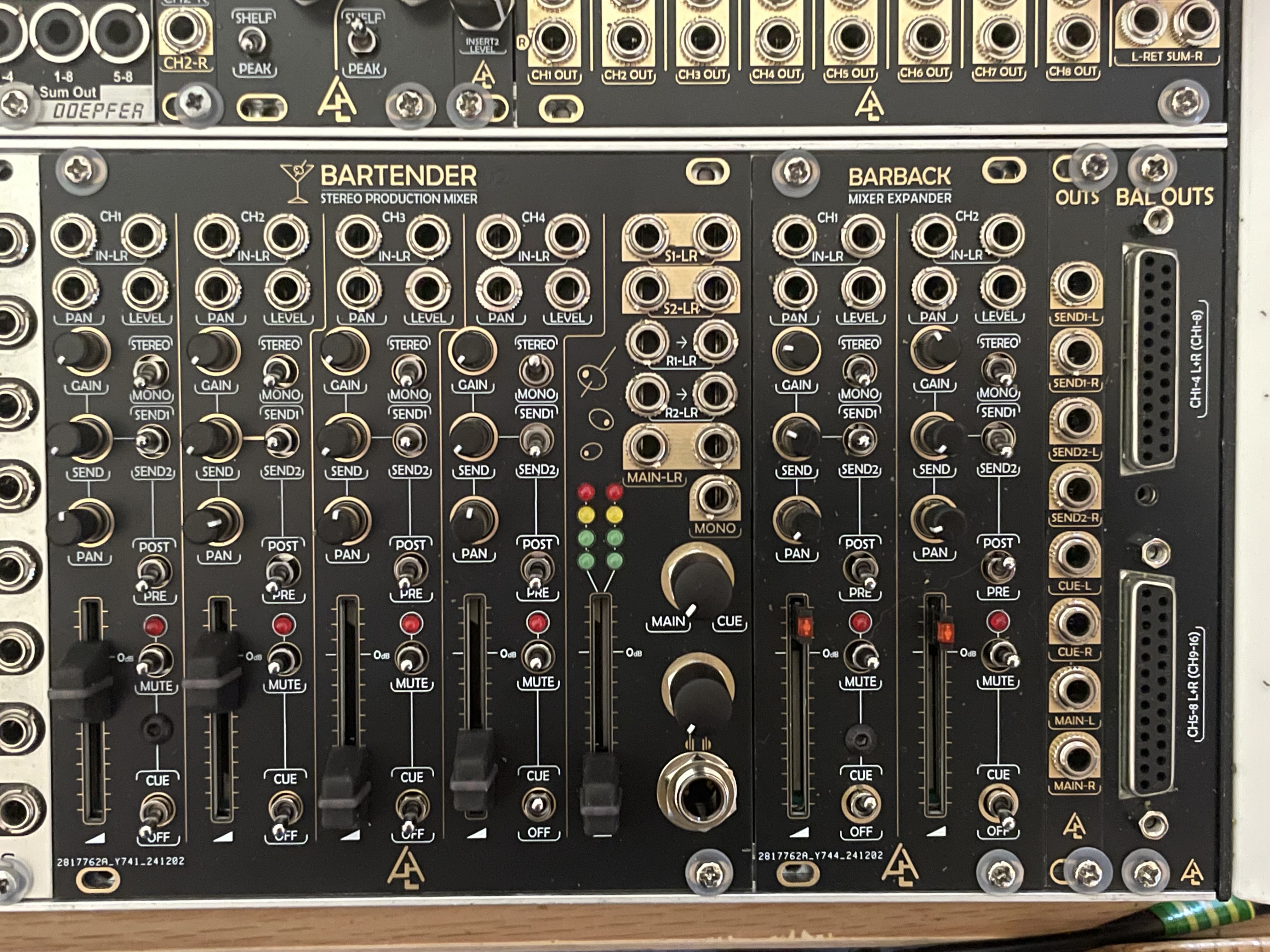
Bartender, Barback, OUTS and BALOUTS
Channel Configuration
- 4x stereo channels (or) 8x mono (switchable per pair)
- L and R inputs per channel
- CV input for PAN and LEVEL
- Cue switch - routing per pair to Cue Bus (¼ inch headphone output)
- Send / Return switch - to SEND 1 (or) SEND 2
- Send Pre / Post switch - pre or post fader audio
- Gain potentiometer - gain applied per channel pair
- Send potentiometer - volume of send output to SEND 1 (or) SEND 2
- Pan potentiometer - panning position in stereo field
- Mute switch - latching and momentary (up and down) with red LED to show mute status
- Channel fader with LED showing audio activity
- 4x stereo channels may be expanded using the BARTENDER module (see below)
Main Mix Section
- Send and Return - two L and R pairs (using OR logic - the SENDS module allows four simultaneous S/R pairs)
- Outputs - Main Stereo out (L and R) and Main Mono out
- Main / Cue blend knob
- Headphone output volume knob
- Headphone out (¼ inch TRS) for Cue or Main bus outputs
- VU meter for stereo output - 2 rows with green, yellow, red LEDs
- Main Fader with LEDs showing audio activity
Rear panel connectors
- Expander Input 1 and 2 - ???
- Direct Outs Pre x2 - to BALANCED OUTS, OUTS, SENDS modules
- Direct Outs Post x2 - to BALANCED OUTS, OUTS, SENDS modules
- Expander Output - to BARBACK, OUTS modules
- Case In x2, Case Out x2 - to the ALA Eurorack Case
- Send VCA x4 - ???
- Main Insert - to the master bus INSERT module
- Rear panel pins are mostly connected via 2x3 pin headers and all cables are supplied
BARBACK (BarB)
Barback is an expansion module that connects to Bartender and provides 2x additional stereo channels (4 mono). They are fully featured and identical to the channels on Bartender.
- 10 hp, POWERED module
- 16 to 10 power ribbon
- Connect Bartender Expander Output to Barback Expander Input using supplied 16 pin ribbon cable
- Provides additional 2x stereo pairs routed via Bartender
- Bartender hosts stereo channels 1 through 4, Bartender adds stereo channels 5 and 6
- Includes all the channel features of the Bartender (inputs, CV controls, fader, cue, mute etc)
- Includes same channel specific back of module pins for Direct Outs (Pre and Post)
OUTS
Expansion module providing breakout for outputs from BARTENDER
- 2hp, passive module
- Dual function module
- Option 1 - 8x individual mono audio channels
- Option 2 - Send (1 and 2), Cue and Main Mix bus outputs
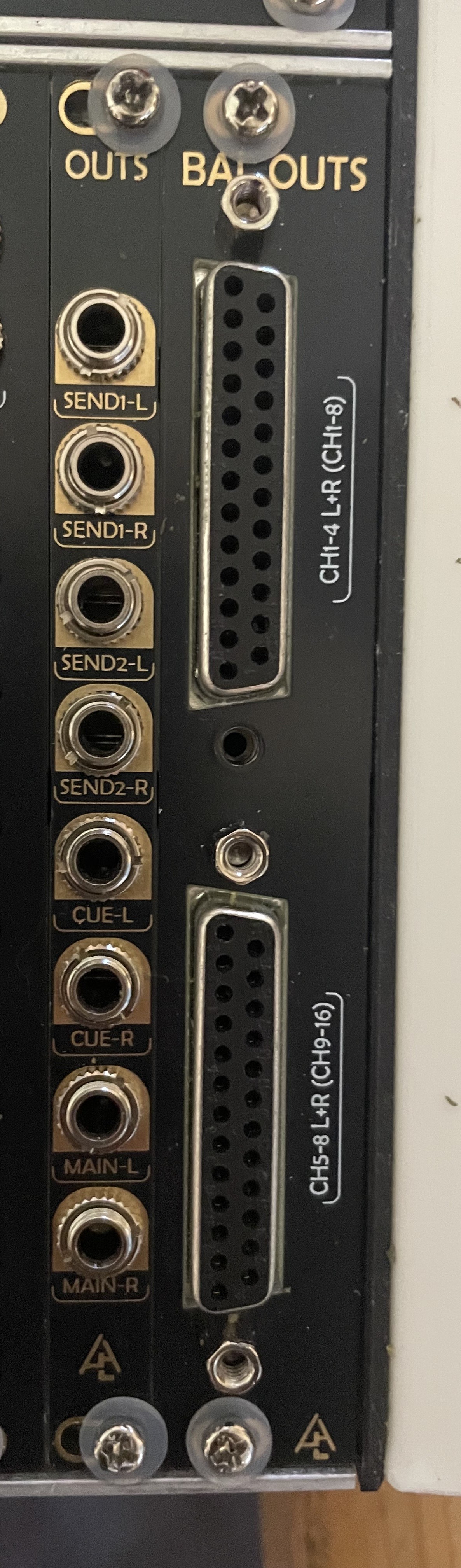
OUTS and BALOUTS
Option 1 - INDIVIDUAL OUTS
- Use only the main PCB only for routing 8x mono TS audio channels
- Allows routing of individual audio channels directly to your audio interface or mixer
- Post gain and pan, but not including send and return
- Can be pre or post fader
- Using OUTS in this configuration allows you to record 8x channels without effects
- You could also record the stereo MAIN MIX out from Bartender to record your complete mix including effects
Option 2 - BUS OUTS
- Attach the second PCB to the back of the OUTS module (it is super easy, no soldering)
- Allows you to route BUS outputs from Bartender to the breakout module
- Routes L/R Send 1 and 2, Cue, Main out buses
- This helps keep my rack neat because I can put the OUTS module on the far right near the case edge
BAL OUTS
Lenny casually asked me if I have any need or use for balanced outputs from modular… If you talk to me for 15 seconds there is a good chance I will rant about noise issues within modular systems. It can be a nightmare.
Fortunately my Elby case system is pretty quiet from a power perspective, but adding balanced outputs to my modular was super exciting to me. For context, I am running three MOTU audio interfaces (828ES and dual 8PRE units). As with any decent interface, these all host XLR / TRS style balanced inputs and outputs.
- 4 hp, POWERED module
- 16 to 10 power ribbon
- Connects via 3x2 pin ribbon cables from Bartender and Barback direct outs (PRE or POST)
- PCB presents 4 jack points for Channel pairs 1/2, 3/4, 5/6, 7/8
- Front panel hosts dual DSUB 25 connectors which present 8 channels of audio per DSUB connector
- 16 total channels with both DSUB connectors populated
- You will need a DSUB cable to go from BAL OUTS to the appropriate inputs for your mixer or audio interface
- I use a HOSA Balanced Snake 8x ¼ TRS to DB25 cable (HOS-DTP803)
Once you have the 2x3 pin connections patched via the PCB rear life is super easy. Connect the DSUB cable to the OUTS module and then connect through to your patch bay, or audio interface directly.
RECOMMENDATION
- Connect the PRE FADER DIRECT OUTS from Bartender and Barback to the BAL OUTS module. You want to save the POST FADER DIRECT OUTS for SENDS.
- Get some uniquely coloured tape (or some other kind of marker) for each end of the 2x3 pin ribbon cables. This will make feeding them through a lot simpler.
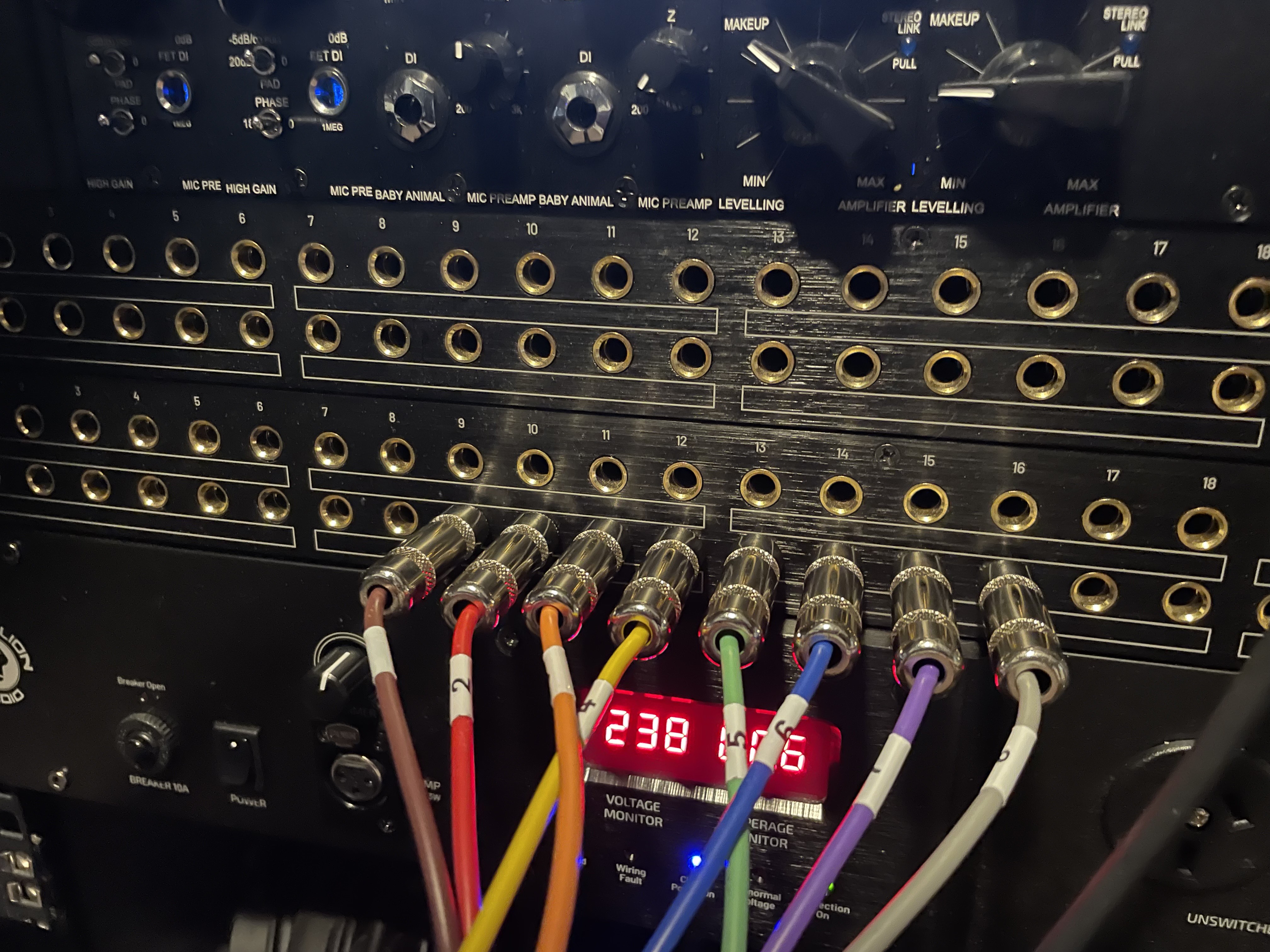
Hosa DSUB25 to 8x TRS ¼ inch inputs of Black Magic patch bay, routed to MOTU 8PRE
My Use Case
- OUTS with the additional PCB installed presenting the SEND and RETURN (x2), Cue and Main outputs
- BAL OUTS with DSUB25 cable presenting channels 1 to 8 as balanced audio pre effects
This setup gives me the best of both worlds because i can record all 8 audio channels without effects, and simultaneously record the main mix out with effects. This makes editing and arrangement in Cubase (or any DAW) an absolute dream.
INSERT
Insert is a dual left and right insert for the main mix output of the Bartender.
- 2hp, POWERED module
- Installation is via a 2x3 pin cable from Bartender to INSERT
- You must remove the pin sleeves from the Bartender to connect the ribbon cable
- Put the sleeves somewhere safe, as no audio will pass to the Main Mix output of Bartender without either (1) the sleeves bridging the correct pins or (2) the Insert module connected
- This caught me out a couple of times and made me think I had cooked the Bartender, which fortunately was NOT the case
- Use case might be to add a mix glue style reverb or compression to the main mix bus
SENDS
Now here is where things get really interesting, and just a little bit special. The SENDS module provides what I believe may be a unique value proposition for the ALA audio mixing ecosystem.
Lets take a look at what it does:
- 24hp, POWERED module
- 16 to 10 power ribbon
- 8 stereo audio channel effect mixing, with individual stereo outs per channel
- Four stereo Send and Return inputs and outputs
- 32 potentiometers, 4 knobs per channel allowing routing of 8 stereo audio channels to any/all of the send and return pairs
- All active simultaneously - not OR logic as in the case of Bartender dual stereo send and returns
- Main SENDS stereo output (sum of all audio) on front panel
- Back of PCB connection from Bartender channels to SENDS (pre or post fader) - 2x3 pin
- Back of PCB output from SENDS back to Bartender for sum of all audio - 2x3 pin
- Switchable pre or post fader per channel (must match your back of PCB connections)
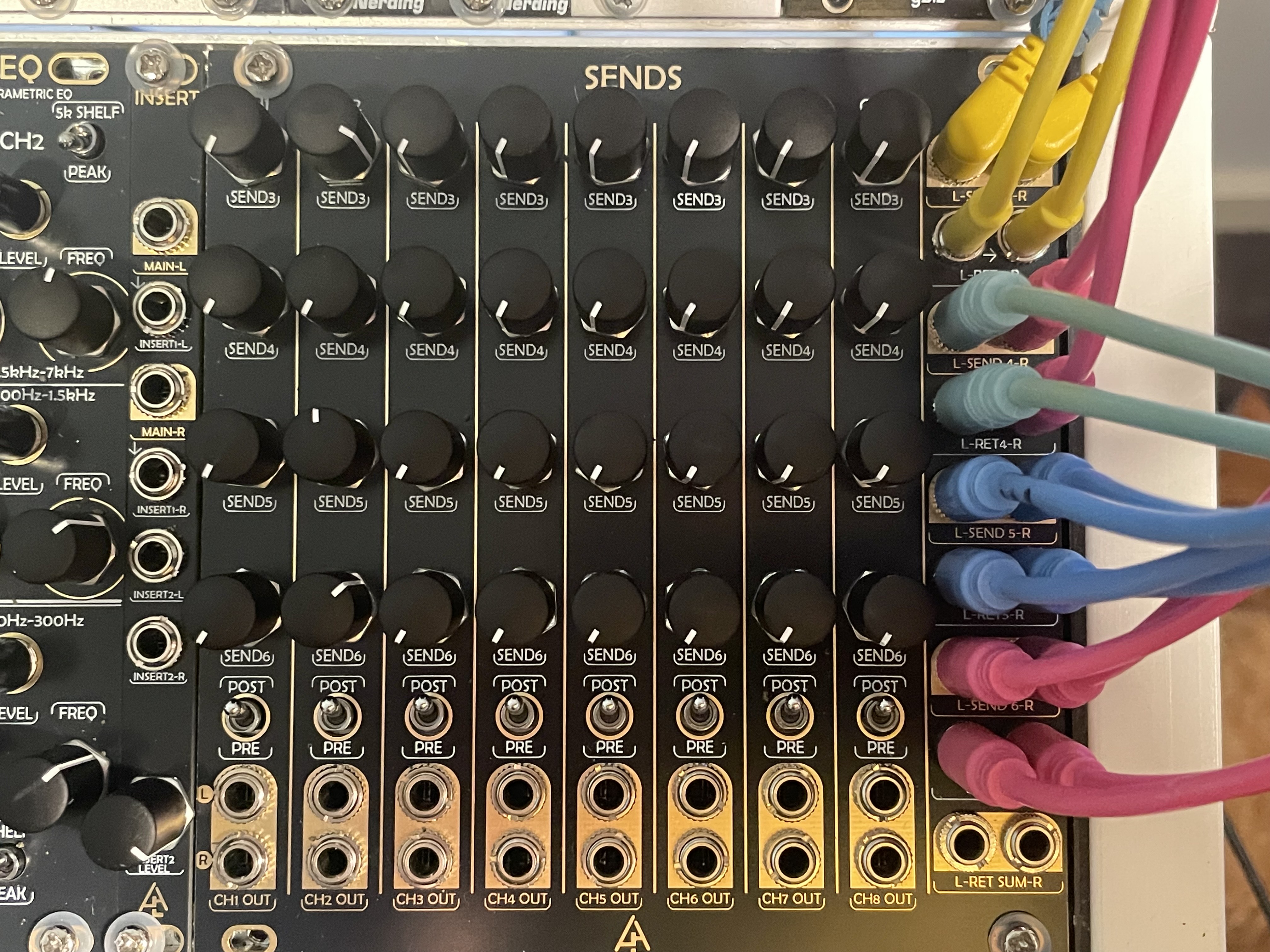
SENDS with 4 effects loops in play
So let that sink in a little... You have up to eight stereo audio channels which can be routed to four different send and return effects paths, and 32 knobs allowing you to blend any of the effects paths with your stereo audio inputs. This is massive and I have not seen this capability in any other Eurorack mixing ecosystem.
RECOMMENDATIONS
- You want POST FADER DIRECT OUTPUT fader connection for each channel between SENDS and Bartender or Barback. This means when you have faders at 0, there is nothing going to the SENDS module
- Unique markers are your friend on both ends of the connecting ribbon cables, same as BAL OUTS above
SSP EQ - Stereo Semi-Parametric EQ
I am yet to dive into this module (and its 2hp expander) and will complete this section of my blog once I have my head and ears around it.
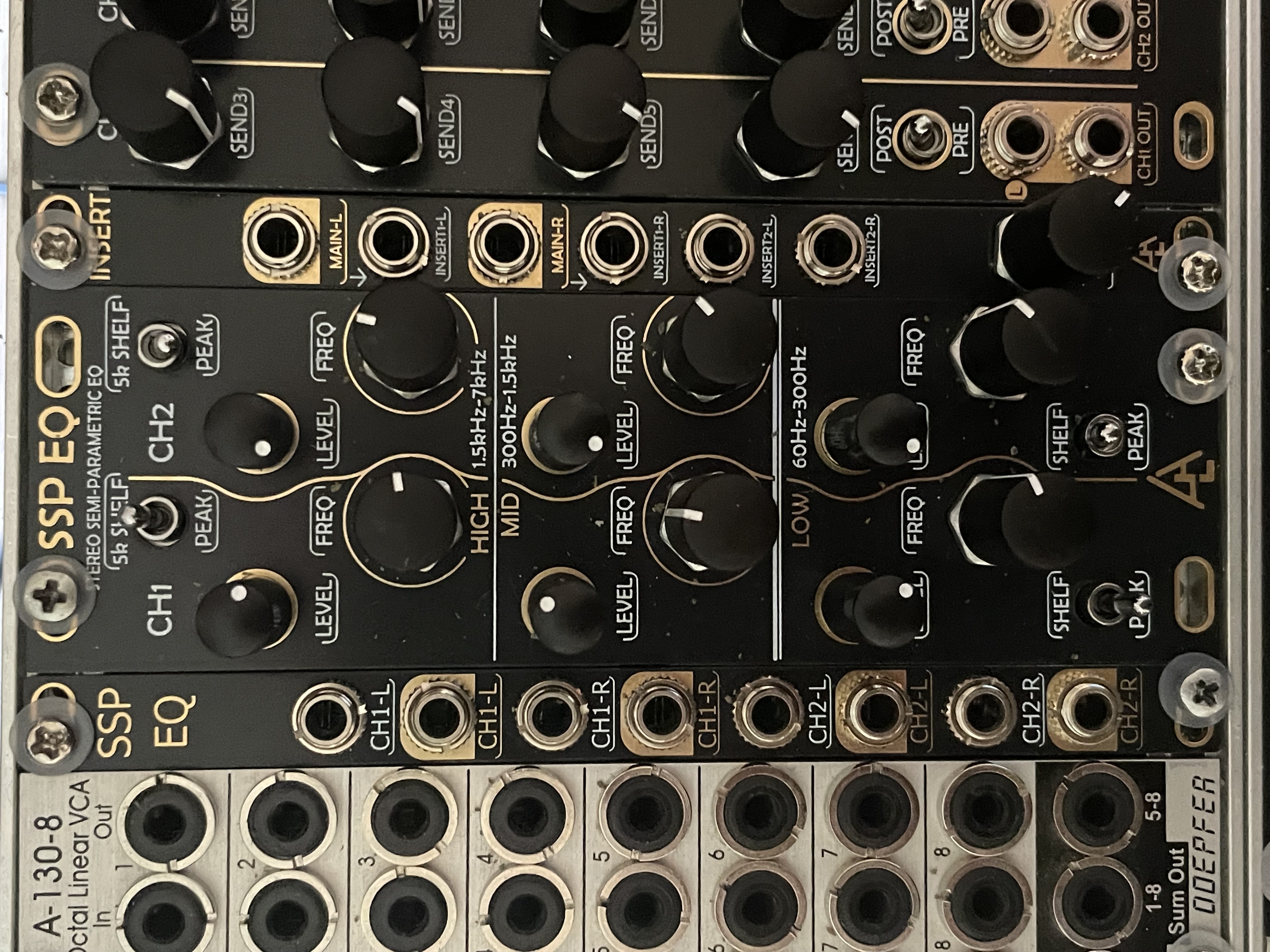
SSP EQ and Expander
CABLING FUN!
With great power comes a lot of back of module cabling. The only thing I found challenging about the ALA ecosystem is that the density of expansion cables on the back of the Bartender can be a bit awkward when you are setting up. I have posted a link to a YouTube video I made explaining how to connect the modules at the bottom of this article. To prepare, I suggest:
- A light source at the side of your work space directed inwards
- Tea towels (clean, no bolognaise residue) to stop modules scratching each other as you move them around
- A written plan of what you need to connect
- No liquids of any kind
- A blood alcohol reading of 0.0%
- Pay special attention to power connections and the ubiquitous red line requirement
- Take your time!
- Two colours of electrical tape - see why in the explanation below
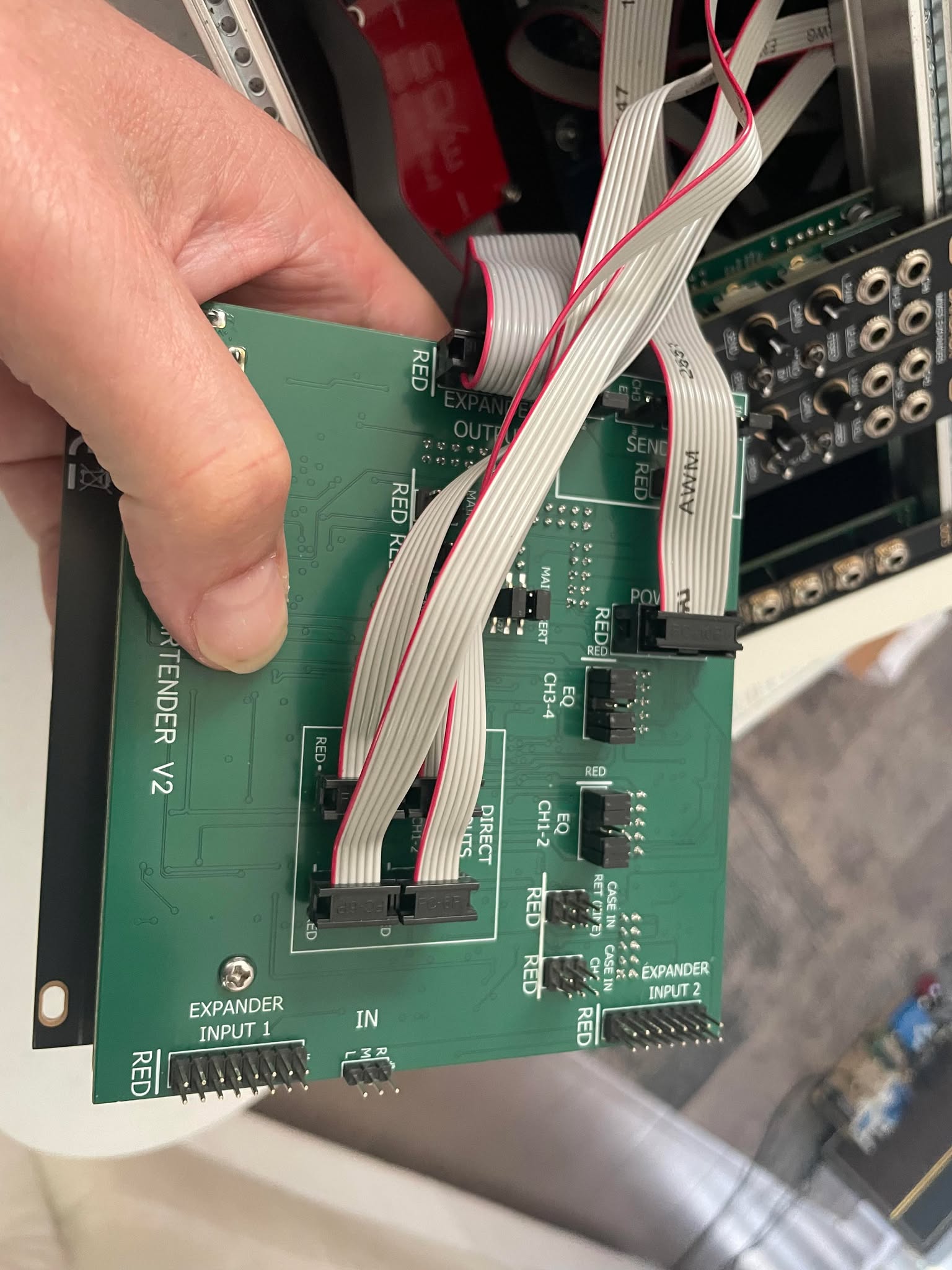
Bartender V2 rear PCB
Having said that, I did receive ALL of the modules at once so there was a bit to do! Most people will increase their ecosystem incrementally. To help any new users out, here is a summary of my back of module cabling for the mixer ecosystem:
Bartender to Barback
- Bartender EXPANDER INPUT 1 to Barback EXPANDER OUTPUT
Bartender to OUTS
- Bartender EXPANDER OUTPUT to OUTS for bus output configuration
- For individual outs you would use PRE or POST fader pins from Bartender to OUTS
Bartender to BAL OUTS
- Bartender POST FADER channels 1 and 2, 3 and 4, 5 and 6, 7 and 8 to BAL OUTS channel inputs
- DSUB25 snake cable to interface (not supplied)
Bartender to INSERT
- Bartender MAIN INSERT to INSERT module
- Remove jack pin sleeves and keep them somewhere safe
- Bartender will not produce main mix audio without either the sleeves on the pins, or INSERT connected
Bartender to SENDS
- Bartender PRE or POST DIRECT OUTPUTS to the corresponding PRE OR POST DIRECT INPUTS on SENDS
- If you mix PRE and POST between Bartender and SENDS it wont work, so get it right
- SENDS RETURN OUT to Bartender CASE IN (RET LINE)
SSP EQ and Expander
- Not documented yet
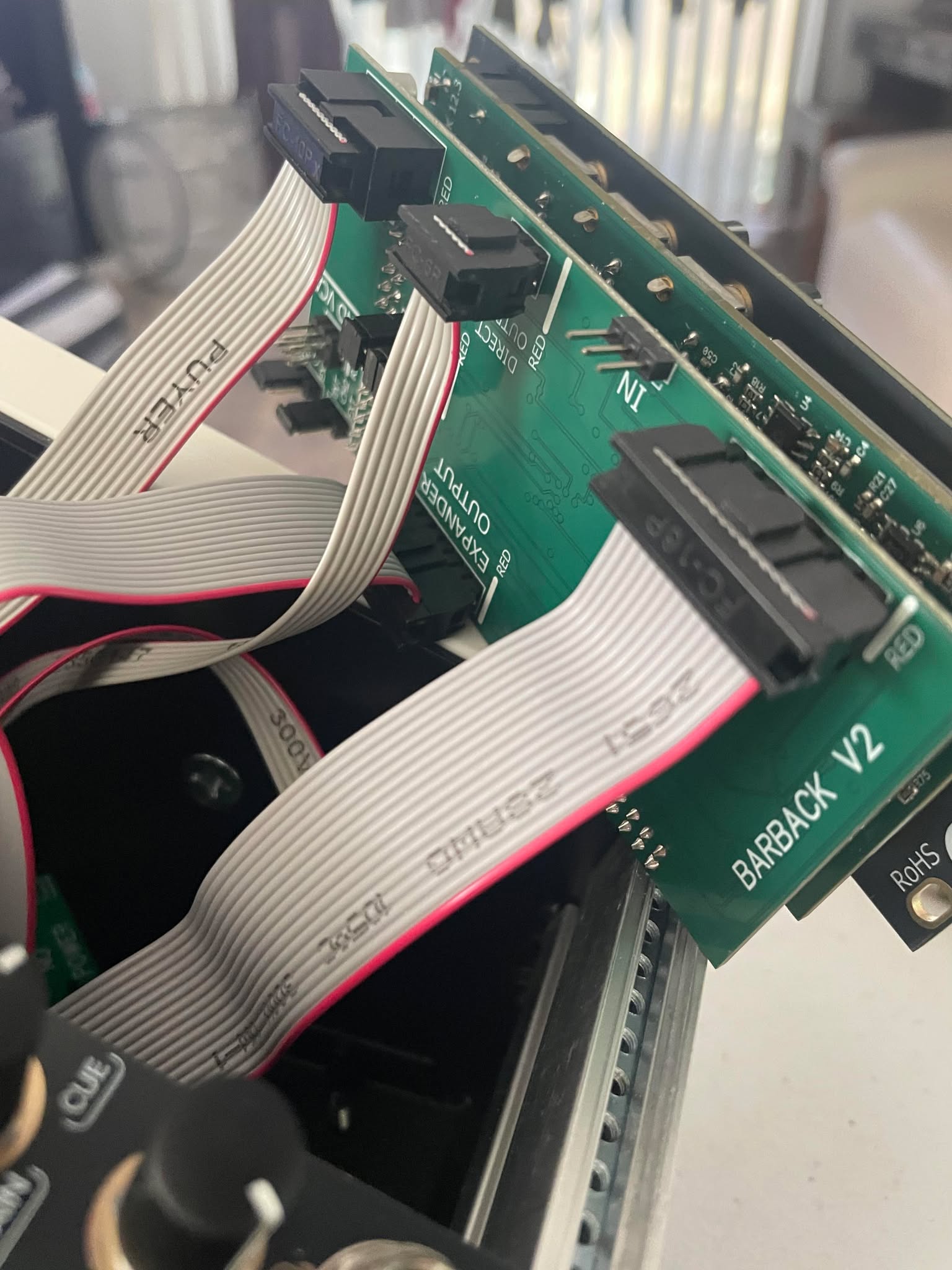
Barback V2 rear PCB
THE SOUND
The SOUND of the mixer modules is very good. There was no additional noise created, and no nasty surprises of any kind once I got everything connected properly. I have compared against other more expensive units and the sound and low noise is as good or better than most. The GAIN function is pleasing and scales really nicely enabling you to add just enough without peaking, or push it hard.
One thing to note about the SEND function is that any volume controls are for what is SENT to the module, not the return audio volume. So if you have an effects unit that is noisy (for example Beads in some modes) then that noise will come back to your mixer even when you are not intentionally using the module. This is standard for an effects loop and not peculiar to the ALA product set.
BUILD AND FEEL
As with all After Later Audio products, the builds are solid and the modules feel good in use. I had expected the Bartender to feel more cramped than it does, but it is fine in use. The fader caps on Bartender and Barback feel great and the LEDs are super clear on the channel and main mix faders. I love the main mix LED strips in red, yellow and green, and wonder how I survived so long without this visual feedback.
Overall the modules feel really good under your hands. Some people might find the knob cluster on SENDS a little tight, however those are not something you will be riding too much. The MAIN/CUE and Headphone volume pots have satisfyingly large knobs and the system is easy to navigate by touch.
OVERALL THOUGHTS
It is clear a lot of thought has gone into the ALA ecosystem, and Lenny has benefited from the core module (Bartender) graduating to version 2, making it is a mature and road tested product. What I love is that you can start with Bartender as a Swiss army knife mixer which will do everything most people are going to need for a small to medium sized rack. Four stereo channels, dual stereo send and return, cue mix to headphone, gain, pan and mute functions. There is a lot here.
The only thing the Bartender does not provide is AND logic for the dual send and returns. The good news is that if you need that function you can expand to the SENDS module. Likewise if you want discrete pre-effect outputs you can purchase the OUTS or BAL OUTS expanders, depending on your needs. Expanding to include only the modules you need means you wont end up spending a lot of money on a mixer that does more than you will ever use.
From my perspective the ALA ecosystem is a no brainer. I will buy (with my own money) an additional Bartender for my jam case. That means I only need to learn how to operate one mixing interface for both systems, and wont go broke through doubling up. And who knows, if I ever want individual outs from the jam case I can easily get an OUTS or BAL OUTS expansion module…
I originally purchased and enjoyed the Bartender (v1) so while receipt of eight modules from After Later Audio was without charge, it is a product and system that I originally bought into of my own volition. Lenny has been super helpful getting me up and running (there are no manuals presently) but also has no say in what I write about the mixing ecosystem.
HOW TO CONNECT THE MODULES